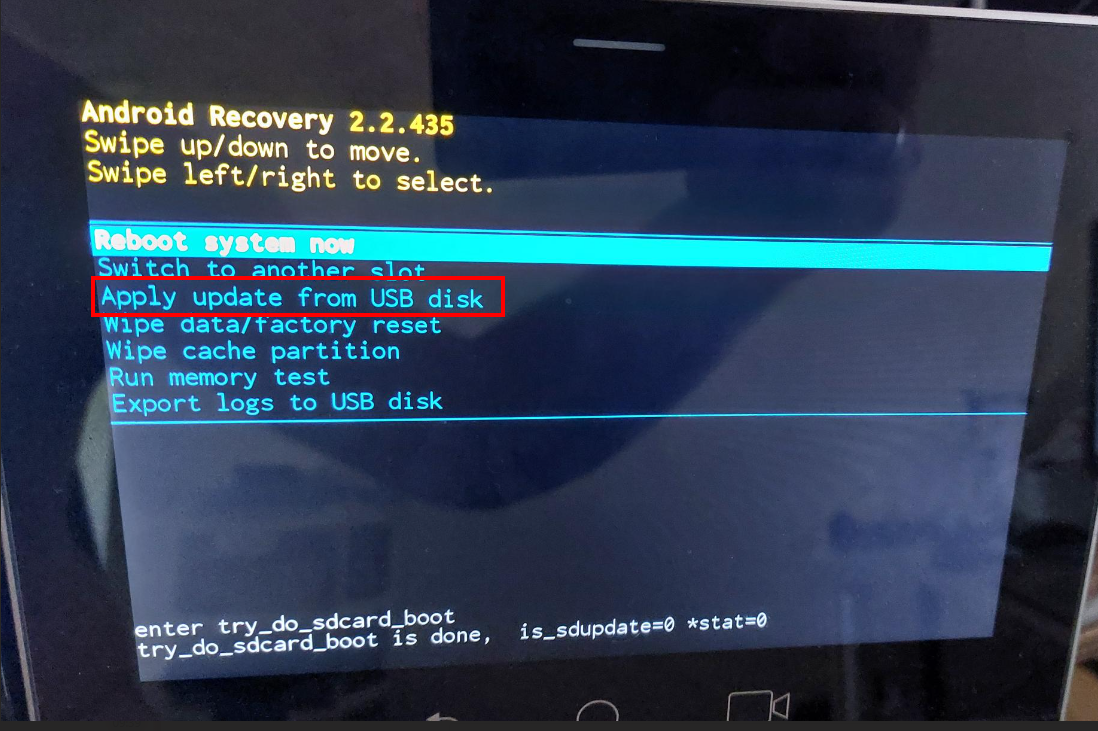
Restoring Device Firmware via USB Disk
For recovery purposes, firmware can be applied to the RX-PAD from a USB disk.
|
➢
|
To apply the firmware from the USB disk: |
|
1.
|
Enter recovery mode by pressing for 2-4 seconds the power button (Action: ENTER_RECOVERY); the device’s LED lights up red. |
|
2.
|
Short-press the power button to move down the menu options, and long-press to select an option. |
|
3.
|
Insert the USB disk with the target firmware. |
|
4.
|
Select the Apply update from USB disk option and then choose the correct firmware image from the disk. |